
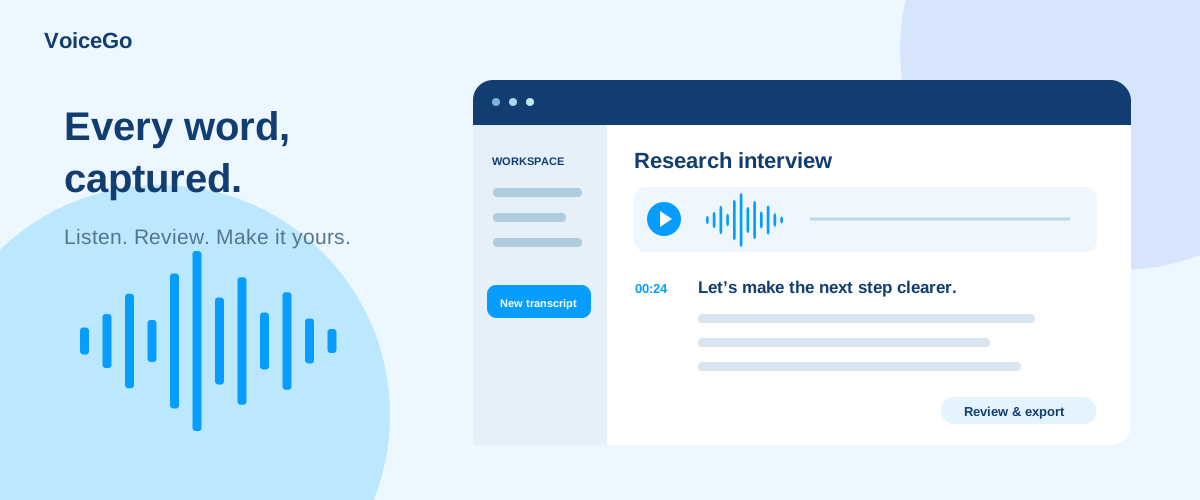
Meet VoiceGo: audio to text with the source close at hand
Explore VoiceGo’s product philosophy, transcription workspace, editing, subtitles, sharing, translation, and free audio and video tools.
VoiceGo team · · 2 min read
VoiceGo is built around a simple idea: a transcript should make a recording more useful without separating you from its source. Turn speech into searchable text, listen when something looks uncertain, and take the result into the tools where you already work.
Our philosophy: useful text, visible choices
AI can take much of the repetitive work out of transcription. The workspace brings together audio playback, timestamp navigation, editable text, and direct exports. We describe plan limits and processing providers so you can decide whether the service fits your task.
Find a passage with transcript search, jump to its timestamp, and edit the wording in place. Our guides show you how to turn recordings into documents, subtitles, and shared notes.
A workspace from recording to delivery
- Bring in media: upload audio or video, import a supported public link, or record through your browser microphone.
- Choose processing: select a language, Zip or Proof, and optional speaker labels, English translation, or noise reduction.
- Review the result: play the audio, navigate timestamps, edit text, and rename files.
- Organize: use folders, transcript search, and bulk file actions.
- Deliver: export documents or subtitles, create a share link, or use the Translation Tool.
Calm design for a task that needs attention
VoiceGo's visual language uses blue accents, rounded panels, and clear text hierarchy. The recording and transcript stay central, with export and management actions grouped nearby. Responsive layouts move those controls below the document when space is limited. Our guide illustrations follow the same palette and use fictional examples rather than borrowed customer stories.
Tools around the transcript
The free tools directory includes audio and video transcription, a browser-based video-to-MP3 converter, and a media downloader for supported public links. The converter works locally in your browser; hosted transcription is a separate processing flow. Only download and process media you have permission to use.
Start small, keep what works
Try three free daily transcriptions, with up to 30 minutes processed per file. Unlimited expands duration and batch capacity, while team licenses support people using their own accounts. Follow our getting-started guide for your first recording.
For help, visit Support or email our support team at [email protected]. Tell us what you were trying to do, what happened, and your browser. Include the error text when available, but never a password or sign-in code.